Five 35-minute integrated blocks · development draft
Pair each day with the separate English and mathematics lessons. The mathematics pack's Days 51–55 teach and check the number ideas explicitly. This guide lets children design and test a useful tool for showing ten. It is not a replacement for the daily number lesson.
Question: How could someone make ten easy to see and check?
National links: AC9TDEFK01 (people design familiar products for a purpose) and AC9TDEFP01 (generate, communicate, safely make and evaluate a solution). The related mathematics work supports AC9MFN01 and AC9MFN04 in its own lessons. These are partial activity links, not claims of full achievement. Confirm the currently adopted state or territory syllabus.
Get ready
- Save clean cereal-box card or use plain reused paper, a thick marker, broad tape, a teacher-controlled cutting tool, ten large counters per pair and two example boards: one with ten spaces in a line, one with two rows of five. The maths pack's plain-text aid and context cards and A4 visual mat are optional examples. Avoid small loose parts where unsafe; use large paper discs, drawn marks or an adult-operated digital equivalent instead. Check allergies and hygiene for any reused packaging.
- Put a low, stable making surface, large-print labels, tactile raised boundaries and a no-cut route within reach. Children can direct an adult maker. Photograph work only under school consent rules; a dated drawing and teacher note work just as well.
- Ask what a user needs: “Can someone find an empty space? Can someone check the count without losing a counter?” Show the two designs as teacher-made, not as the one correct answer. A child may prefer a strip, pockets or another arrangement.
- Keep English and mathematics lessons, movement, play and normal breaks in the timetable. The integrated block below is 35 minutes. A child may complete it in two shorter sittings.
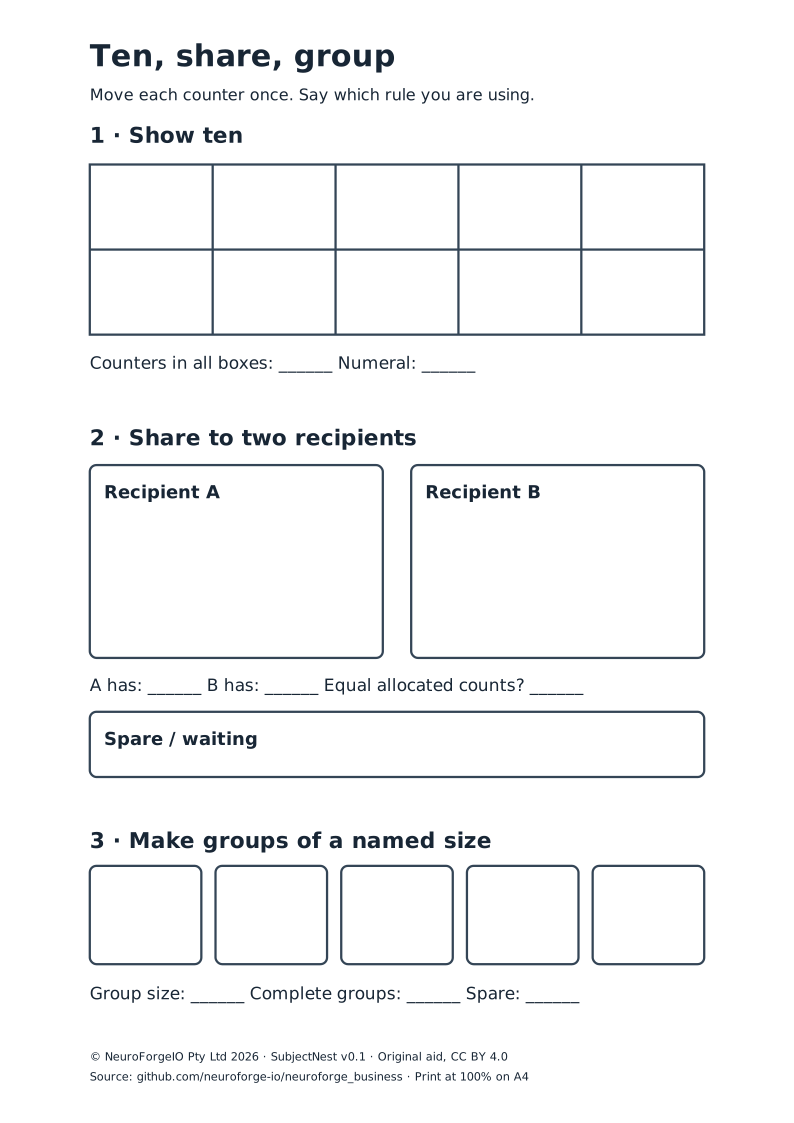
Day 1 — Notice what a counting tool does
- Try, 6 min: show ten large counters in a loose pile and two made boards. Say, “All have ten counters. Which arrangement helps you check, and why?” Give time to look, touch or direct a partner.
- Explore, 12 min: pairs place and remove counters. Ask, “What is the board helping a person do? What is hard to see or hold?” Record the child's exact observation, including if they prefer the loose set.
- Sketch, 12 min: child draws, places objects or dictates a first idea for a board for a classmate. Name the user and purpose: “This is for ___ to ___.” An adult may scribe without supplying the design.
- Close, 5 min: each learner points to one feature worth testing tomorrow. A learner may share privately or with a puppet.
Look and listen for: a purpose and a design feature. Liking a colour is a valid preference, but it is not by itself evidence that the design helps count.
Day 2 — Make a first version
- Recall the purpose, 5 min: revisit the child's own sketch or model. Ask what must stay safe and easy to use.
- Make, 20 min: child chooses a strip, frame, pocket board or drawn mat. Adult handles sharp tools. Children mark ten spaces or direct a partner to do so. The maker can use two rows of five, another grouping or no boxes at all; do not force a layout before the test.
- Check, 7 min: place exactly ten large counters, one at a time. Ask, “Where did you lose track? Which space did you miss? How would another user know?” Count with the child if needed and note support.
- Store, 3 min: keep first design and one sentence, mark or recorded explanation for comparison. Do not quietly remake it for a neat display.
Access choice: a tactile board may use folded card ridges; a low-vision route can use high contrast and space; a motor route can use a stable mat and child-directed adult placement. Record who placed counters.
Day 3 — Ask a user, then change one thing
- Offer a choice, 5 min: a child may invite a willing peer, teacher or puppet user. Ask the child for permission before another person handles their design.
- User trial, 12 min: user tries to show six then four more, as practised in the separate maths sequence. The maker watches or listens and asks, “What helped? What got in your way?” A spoken, signed, drawn or AAC reply is useful feedback.
- One change, 13 min: child changes one feature such as larger spaces, clear edges or a two-row arrangement. Keep a trace of first and second versions. If the first tool already works, the child may change the user or challenge instead of inventing a flaw.
- Explain, 5 min: “I changed ___ because ___.” An adult can record a demonstration or exact words.
Look and listen for: a change linked to an observed use, not a judgement that the second design is automatically “better.”
Day 4 — Try a different world
- Choose a use, 6 min: offer library returns, ten art shapes, a garden-plot drawing, ten bus seats, a game score or the child's own setting. Use picture/paper tokens only; do not count live animals or use a child's private possessions without permission.
- Predict and try, 16 min: ask whether the tool will still help a new user check ten in the chosen setting. Try it with ten paper symbols or counters. Change the labels without changing the count. Ask what the tool makes visible and what it does not.
- Create a user instruction, 9 min: child draws or dictates a two-step guide: “Put one in each space. Check ____.” The check can be counting, a full frame or matching ten tokens. Do not assess independent reading of an adult-written label.
- Close, 4 min: another person follows the guide, or the child demonstrates privately.
Evidence: whether the user can understand the child's purpose and steps. A design can work in one setting and need change in another.
Day 5 — Show, test and decide a next step
- Prepare, 5 min: child chooses first design, revised design and the ten counters or paper marks. Reuse the tool audited or adapted in today's mathematics lesson; no second make is needed.
- Demonstrate, 14 min: show a new user ten in two ways, such as two fives and six plus four. Ask, “How do you know there are ten?” Keep the maths observation separate from the design observation: an adult-supported count is still a legitimate design trial, but not independent counting evidence.
- Evaluate, 11 min: use the original purpose: “Did the tool help your user? What did they actually do? What might you change next?” A child may say the first version was clearer. Record that honestly.
- Pack and reflect, 5 min: reuse or store materials. Invite the child to choose whether their work is shown to a peer, family through approved school channels, or only the teacher.
Copy-ready design record
MY USER: ___________________  MY TOOL HELPS THEM: ______________
FIRST IDEA (draw/build/dictate): ________________________________
I TESTED IT WITH: ______________________________________________
THE USER DID OR SAID: __________________________________________
ONE THING I KEPT OR CHANGED: ______________ BECAUSE: ___________
I SHOWED TEN AS: __________________ AND: ________________________
ADULT NOTE — what the child did; prompts/access used: __________
NEXT TEACHING MOVE: ____________________________________________
Keep completed child records in school custody, not in a public repository. For a learner who cannot yet distinguish ten from another quantity, model with a matched set and revisit the maths lesson; do not make an untaught design demand the test of their number knowledge. For a learner ready for stretch, ask whether the same tool clearly shows nine and what changes when one is removed.
Source and reuse
Codes were checked in Australian Curriculum v9 official downloads, workbook retrieved 29 September 2026, SHA-256 db446882d2c00cf7c085a03e250e2442fda6c44011fc114680c46c1dc7a822c3. ACARA terms govern the source descriptions and do not imply endorsement. This is an original, unpiloted activity; local safety, adjustment and assessment policy controls use.
© NeuroForgeIO Pty Ltd 2026, “SubjectNest Ten Ways to See”, version 0.1.0-draft. Original prompts, record and lesson sequence are CC BY 4.0: credit SubjectNest by NeuroForgeIO Pty Ltd, link the source and licence, and note changes. No third-party worksheet, image or recording is embedded.