Use the three same-target routes and exact print/text/tactile alternatives. Present shapes as adult-created fiction. The child chooses, makes or directs the final response; a neutral adult may move cards as instructed. Offer quiet participation, pass, or a later turn. No personal learner media, upload, device, camera or recording. A paper model can show a planned visual effect, not what a real audience actually noticed. Each session totals 3 + 4 + 5 + 7 + 4 + 2 = 25 minutes. Fresh checks are public formative probes; save first responses before opening the separate key.
Week 3 · Day 11 · Which shape is in front?
Target/codes: keep the same square and circle in one frame but change which one covers the other; explain the intended focus; AC9AMAFD01, AC9AMAFC01. Prepare: A layer order, two large cards or pre-cut shapes, A notes.
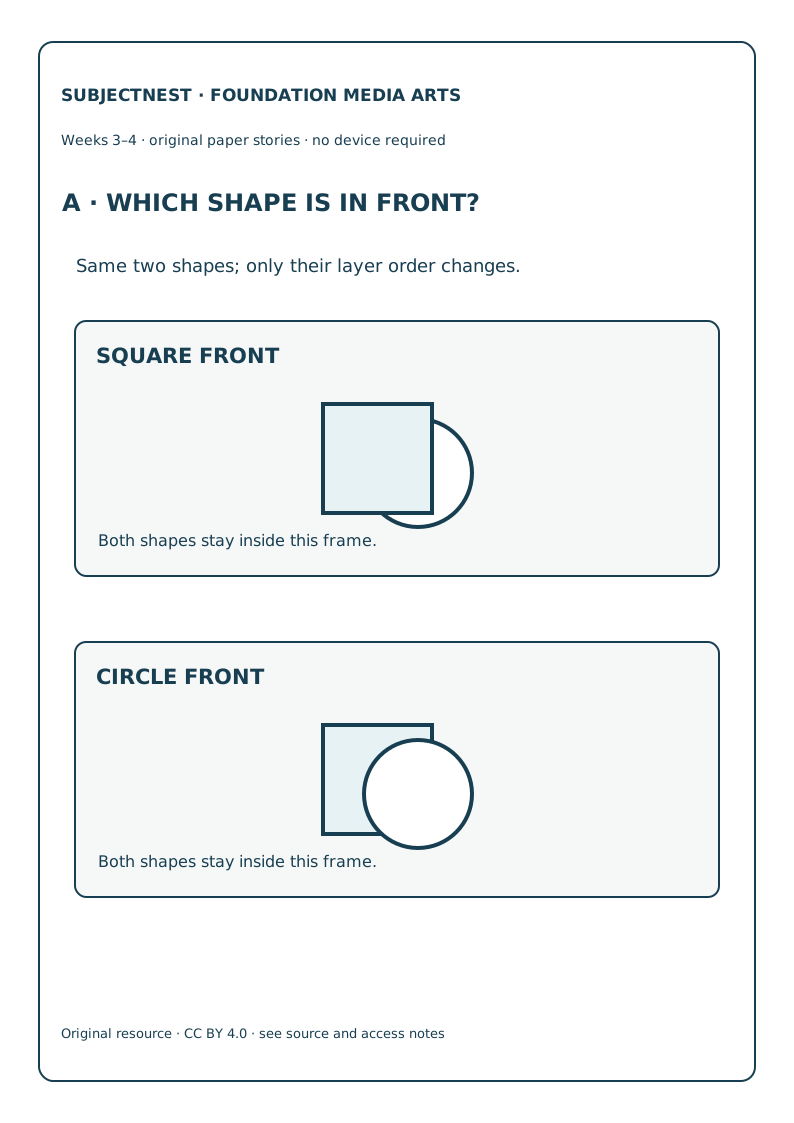
- Welcome · 3 min. Recall Week 2’s close border: leaving something outside a frame is different from covering part of it inside a frame.
- Model · 4 min. Put square partly over circle; then lift and put circle partly over square. Name the same two shapes, one changed layer order.
- Try together · 5 min. Ask “Which edge can you see all the way round? Which edge disappears under the other shape?” Offer description or raised overlap edges.
- Child choice · 7 min. Child designs an original paper sign about either shape, choosing front and back by a route. Ask what a reader might notice first.
- Notice · 4 min. Save child’s layer decision and intention; accept alternative plausible intentions. Do not say the overlapping shape is physically nearer in a filmed scene.
- Close · 2 min. Put the two cards aside; tomorrow the frame edge also changes a paper story.
Week 3 · Day 12 · A shape can enter from an edge
Target/codes: compare two-frame sequences with the same circle ending in the centre but entering from LEFT versus RIGHT; AC9AMAFD01, AC9AMAFC01. Prepare: B entry edge, broad frame and circle, B notes.
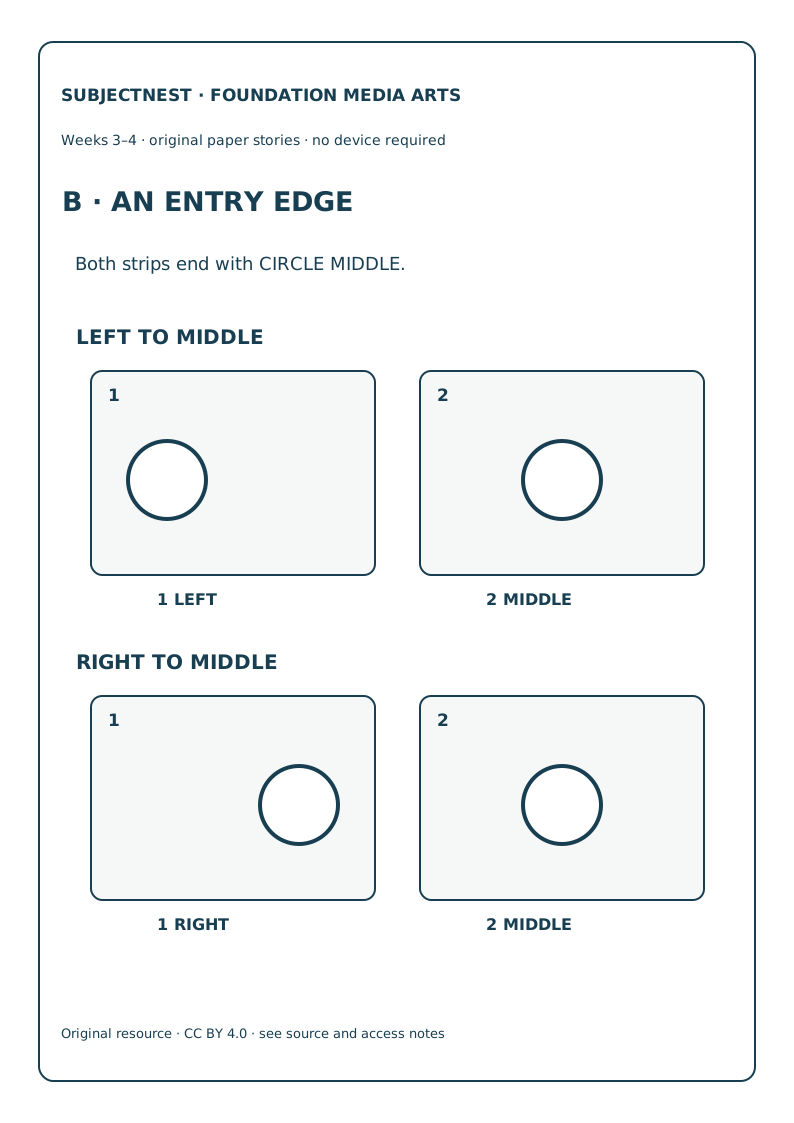
- Welcome · 3 min. Label frame 1 then frame 2. Both versions finish with CIRCLE MIDDLE.
- Model · 4 min. Arrange LEFT→MIDDLE and RIGHT→MIDDLE. Say the first position is the only change, so the entry direction a reader may infer changes.
- Try together · 5 min. Child finds the held final panel and points to the changed first panel. Use raised left/right cells or “first/last” words without demanding body orientation.
- Child choice · 7 min. For an invented paper doorway, child chooses the side from which a circle appears to enter. Child may reject the doorway story and name another intention.
- Notice · 4 min. Read the two positions back exactly and ask whether they fit the child’s stated intention. This is paper sequencing, not filmed motion.
- Close · 2 min. Keep the child’s version; tomorrow location within one frame will matter.
Week 3 · Day 13 · Top and bottom can change focus
Target/codes: hold square and circle in one frame, place circle TOP or BOTTOM, and describe the difference without changing object identity; AC9AMAFD01, AC9AMAFC01. Prepare: C position field, two raised horizontal cells, C notes.
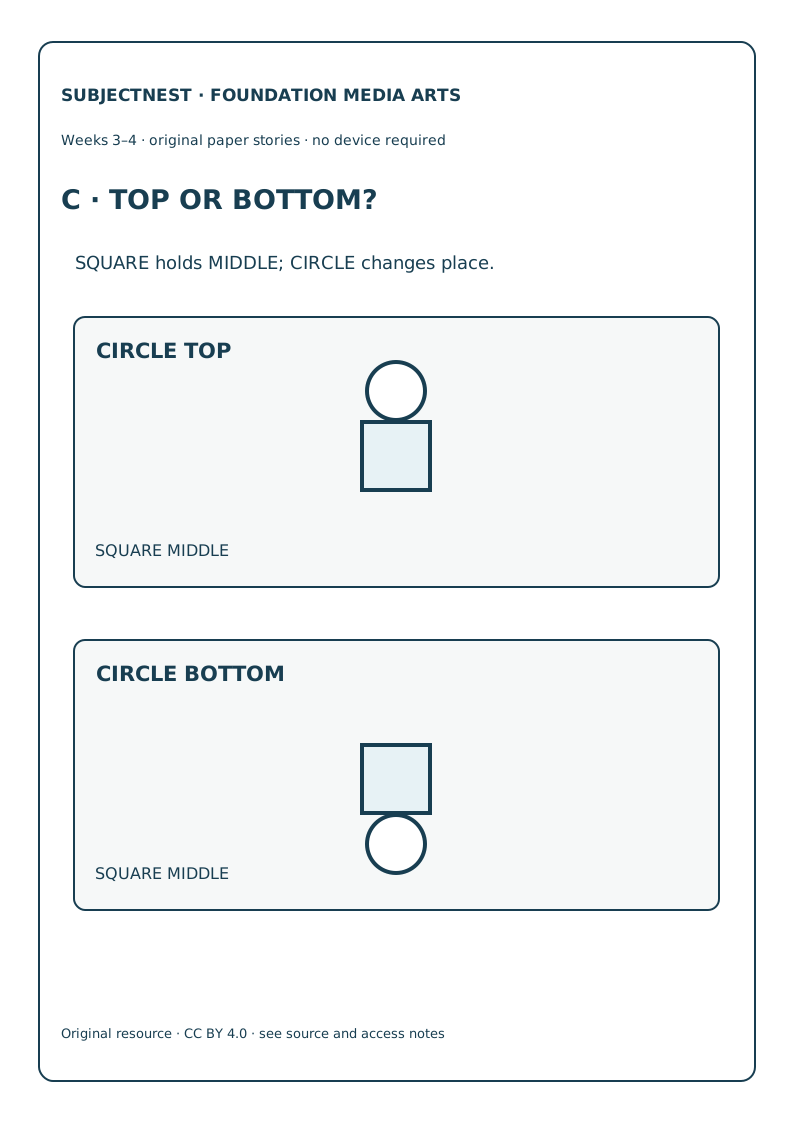
- Welcome · 3 min. Hold one broad rectangle upright on a table; name TOP and BOTTOM of this paper frame.
- Model · 4 min. Keep square at MIDDLE. Move circle from TOP to BOTTOM. Say the image ingredients stay; placement changes.
- Try together · 5 min. Trace/read the fixed square and two circle positions. Ask which change could suit a child’s invented “look up” or “look down” instruction.
- Child choice · 7 min. Child creates an original one-frame paper notice with a square and a circle and chooses one vertical circle position for an intended clue.
- Notice · 4 min. Record the actual position and child’s reason. Do not prescribe a universal emotional meaning for top/bottom.
- Close · 2 min. The shapes can stay still while a caption changes where someone may look.
Week 3 · Day 14 · Put the same caption under a chosen frame
Target/codes: hold two image frames fixed and move the same HERE caption from frame 1 to frame 2; explain intended attention; AC9AMAFD01, AC9AMAFC01. Prepare: D caption place, one broad HERE card or point symbol, D notes.
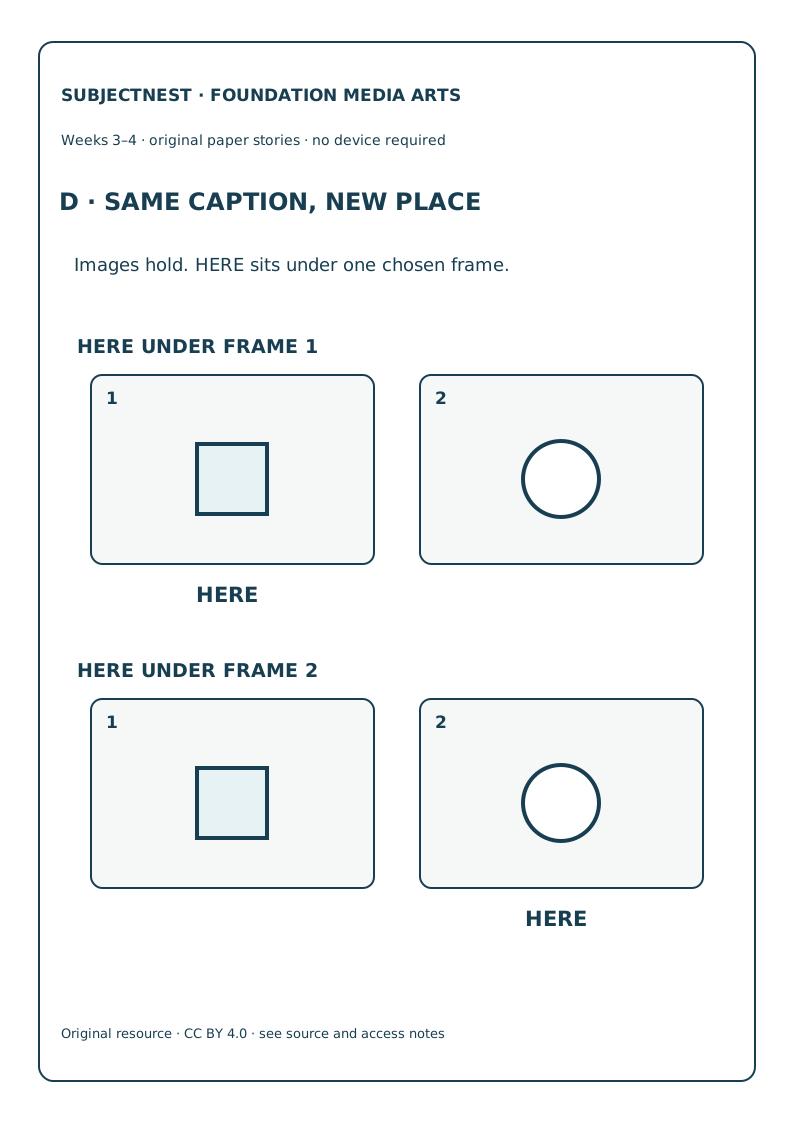
- Welcome · 3 min. Show square in frame 1 and circle in frame 2. The word HERE can be heard, felt as a label, or represented by a thick pointer.
- Model · 4 min. Place HERE beneath frame 1, then beneath frame 2. Keep both images and the word identical; only its attachment changes.
- Try together · 5 min. Child tells/points to which image the caption asks a reader to attend to in each version. Admit readers may still look elsewhere.
- Child choice · 7 min. Child chooses a caption placement for a fictional display card, gives a reason, or directs adult placement by AAC.
- Notice · 4 min. Ask “What stayed?” and “What changed?” Record attachment to frame 1 or 2, not an assumed actual viewer reaction.
- Close · 2 min. Tomorrow a fresh triangle/circle layer puzzle checks transfer.
Week 3 · Day 15 · Fresh Check G: new front shape
Target/codes: independently change layer order in a new triangle/circle overlap to meet a stated paper brief; AC9AMAFD01, AC9AMAFC01. Prepare: public Check G, G print, broad triangle/circle cards. Keep key out of view until first response.
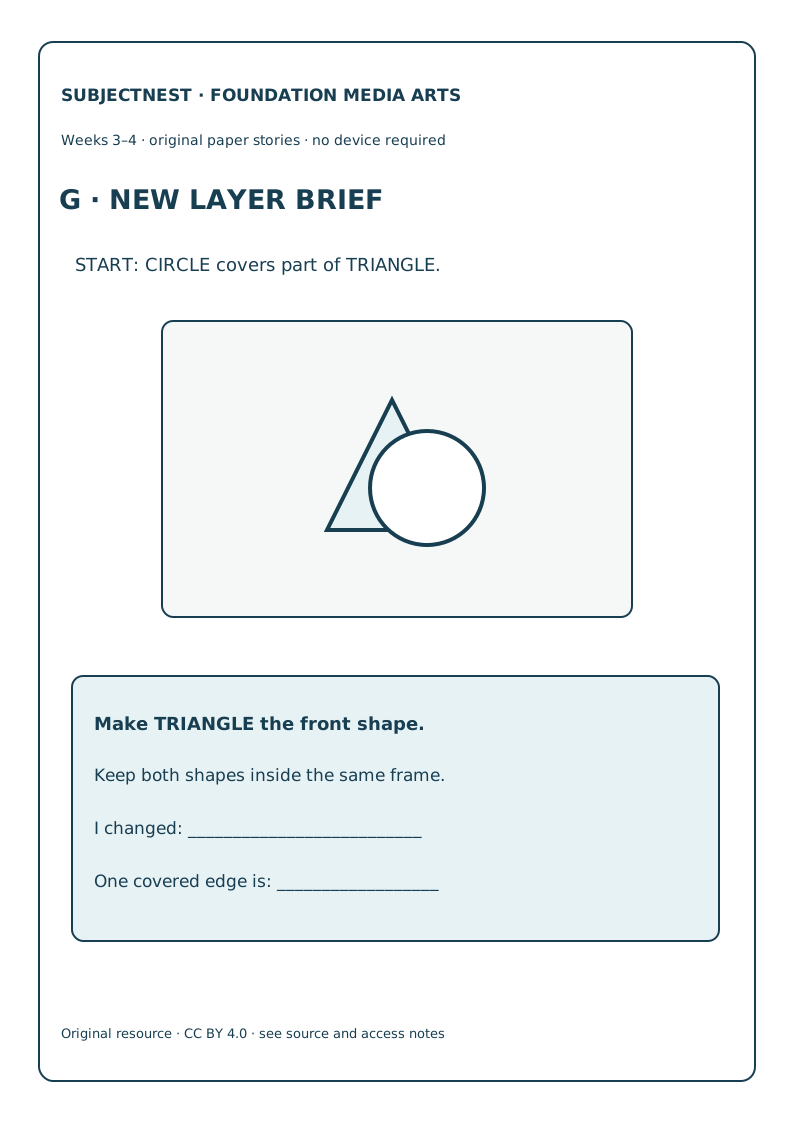
- Welcome · 3 min. Introduce a new picture challenge. It helps choose next teaching; there is no speed score.
- Access · 4 min. Present start: CIRCLE partly covers TRIANGLE; read brief: “maker wants TRIANGLE in front.” Do not build the answer.
- Independent plan · 5 min. Child decides which shape must be placed last/on top while keeping both shapes in the same frame.
- Child response · 7 min. Child draws, places, points or directs. Ask which edge is visible and why this meets the brief; save first response verbatim.
- Self-check · 4 min. Invite child to find the covered edge in their version without offering a correction.
- Close · 2 min. Record first response before key. Day 15 supplementary examples are After Check only.
Week 4 · Day 16 · One holds while one moves
Target/codes: make a three-frame sequence with circle fixed at TOP and a child-chosen square path that changes at least once; name the held and changing object; AC9AMAFD01, AC9AMAFC01. Prepare: E two-token strip, numbered broad frames, E notes.
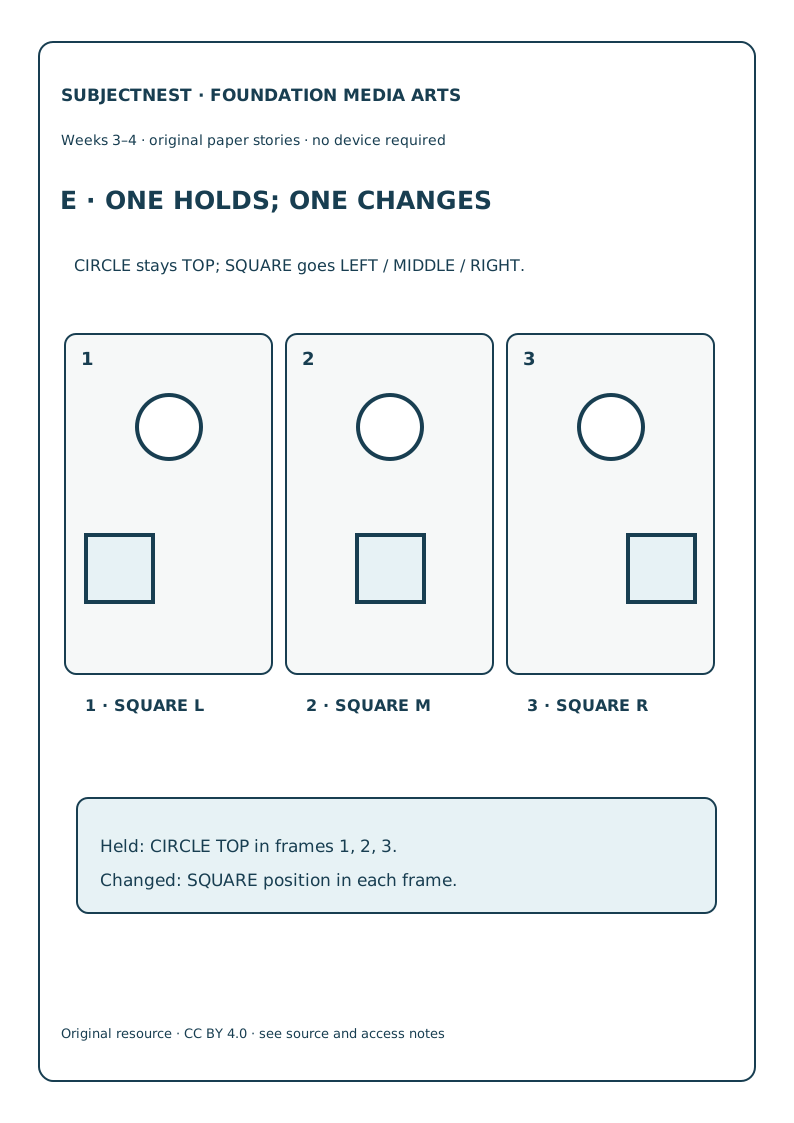
- Welcome · 3 min. Revisit Week 2’s one-token three frames. Today a second token stays in one place for comparison.
- Model · 4 min. Put circle at TOP in all three frames; square moves L/M/R along lower cells. Read both tracks aloud.
- Try together · 5 min. Ask child to trace circle’s unchanged track and then square’s changes. Tactile route uses one token at a time to prevent crowding.
- Child choice · 7 min. Child chooses a new square path in three frames for an invented sign, with at least one changed position. Circle remains TOP; the child owns the path.
- Notice · 4 min. Check three circle positions are TOP and describe square path exactly. If a child changes circle too, discuss the different idea rather than hiding it.
- Close · 2 min. Tomorrow an optional sound idea can be planned on paper without audio equipment.
Week 4 · Day 17 · Mark an optional sound cue
Target/codes: hold the same two-frame paper sequence and choose whether a single TAP cue belongs at frame 1 or 2 for a stated intention; AC9AMAFD01, AC9AMAFC01. Prepare: B entry strip, one TAP symbol card; no audio device.
- Welcome · 3 min. A
TAPon paper is a cue plan. It is not a soundtrack or proof that sound was made. - Model · 4 min. Keep circle LEFT→MIDDLE and move one TAP card from frame 1 to frame 2. Describe possible intended attention for each placement.
- Try together · 5 min. Child locates image hold and cue change. An adult may make one gentle tap only by local consent/access plan; the quiet text route is equal for planning.
- Child choice · 7 min. Child places, draws or directs one TAP cue for an invented welcome card and explains which moment should draw notice. A silent/“no cue” choice is recorded as a different intention.
- Notice · 4 min. Check one cue position and child’s explanation; do not infer hearing, audio production or emotional effect.
- Close · 2 min. Save the paper plan as a possible element for tomorrow’s original storyboard.
Week 4 · Day 18 · Compose a child-owned three-frame work
Target/codes: create or direct an original three-frame geometric paper sequence using at least one deliberate layer, position or caption choice and state its intended idea; AC9AMAFD01, AC9AMAFC01. Prepare: F maker/share sheet, thick tokens, caption strip; source slot if an approved real work is available.
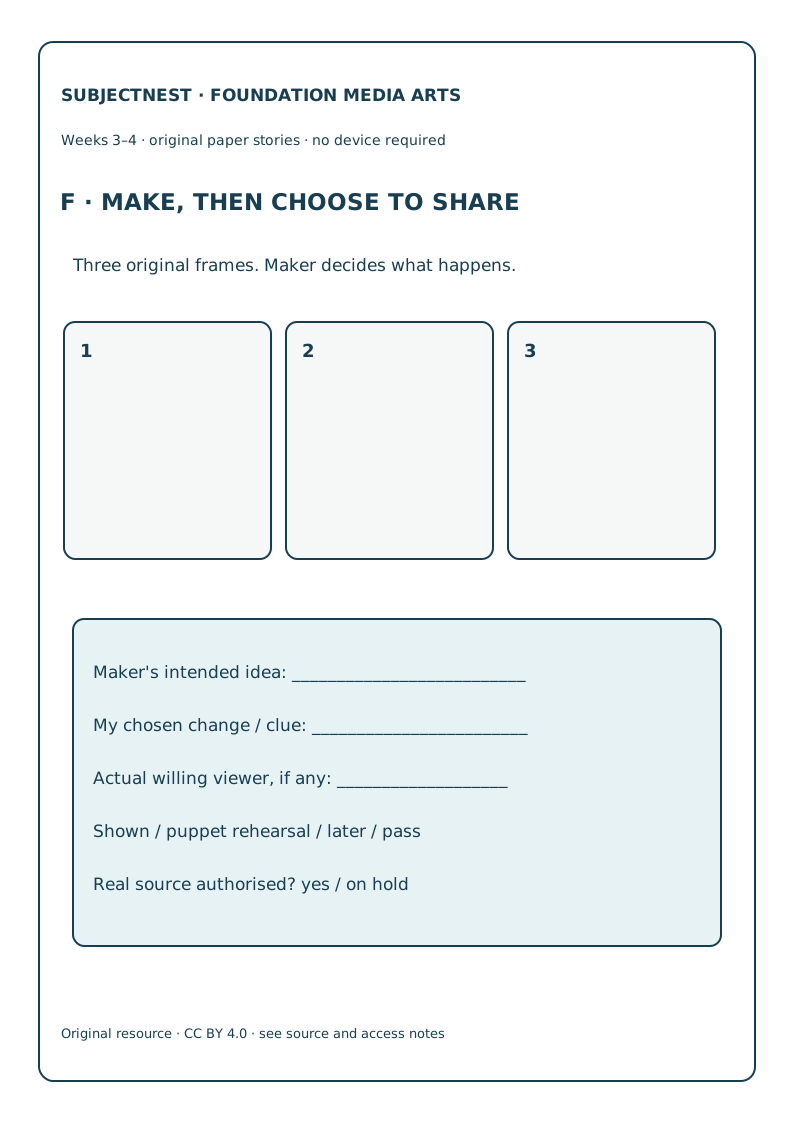
- Welcome · 3 min. Look back at one child-chosen decision from Days 11–17. The adult example is a model, not a template to claim as a child work.
- Model · 4 min. Adult makes a distinct small example: square holds TOP while circle travels L/M/R; adult states intention and maker. Do not guide child to copy it.
- Try together · 5 min. Child tells/points to a new intention and picks one technique to help it. Present blank numbered frames.
- Child choice · 7 min. Child draws, selects or directs three frames and an optional caption/cue. Adult records who chose each element; no camera or upload.
- Notice · 4 min. Read the exact three-frame decisions to child. Ask what they intended, and note uncertainty if adult help materially determined choices.
- Close · 2 min. Store paper work under local practice; tomorrow sharing is an opt-in decision.
Week 4 · Day 19 · A willing viewer and a real maker question
Target/codes: ask source-backed maker/purpose questions about an authorised work if available; offer an original paper work to a willing audience only if child chooses; AC9AMAFE01 as inquiry, AC9AMAFP01 only for actual sharing. Prepare: F maker/share sheet, authorised-source slot, child’s original work.
- Welcome · 3 min. The child may show one person, rehearse with a paper puppet, postpone or pass. No group performance, recording or publication is needed.
- Model · 4 min. Adult shares their own paper work with a willing adult and names the actual recipient. For a real work, read a verified maker statement only if permissions and source fields are complete.
- Try together · 5 min. Ask “Who made it?” and “What purpose does that maker say it has?” If no authorised real source, practise the questions on the adult’s work and mark authentic encounter not yet held.
- Child choice · 7 min. Child elects actual sharing, puppet rehearsal, later sharing or pass. Record what happened and the child’s own explanation if offered; do not attribute a viewer response without asking them.
- Notice · 4 min. Separate child intention, actual recipient (if any), and any volunteered viewer response. Privacy and consent remain local educator duties.
- Close · 2 min. Thank child for their choice. Tomorrow’s new crop brief tests one frame-boundary change.
Week 4 · Day 20 · Fresh Check H: new close view
Target/codes: independently change only frame 2 from WIDE to CLOSE around CIRCLE, leaving frame 1 wide, for a new two-frame square/circle brief; AC9AMAFD01, AC9AMAFC01. Prepare: public Check H, H print, broad adjustable borders. Keep key out of view until first response.
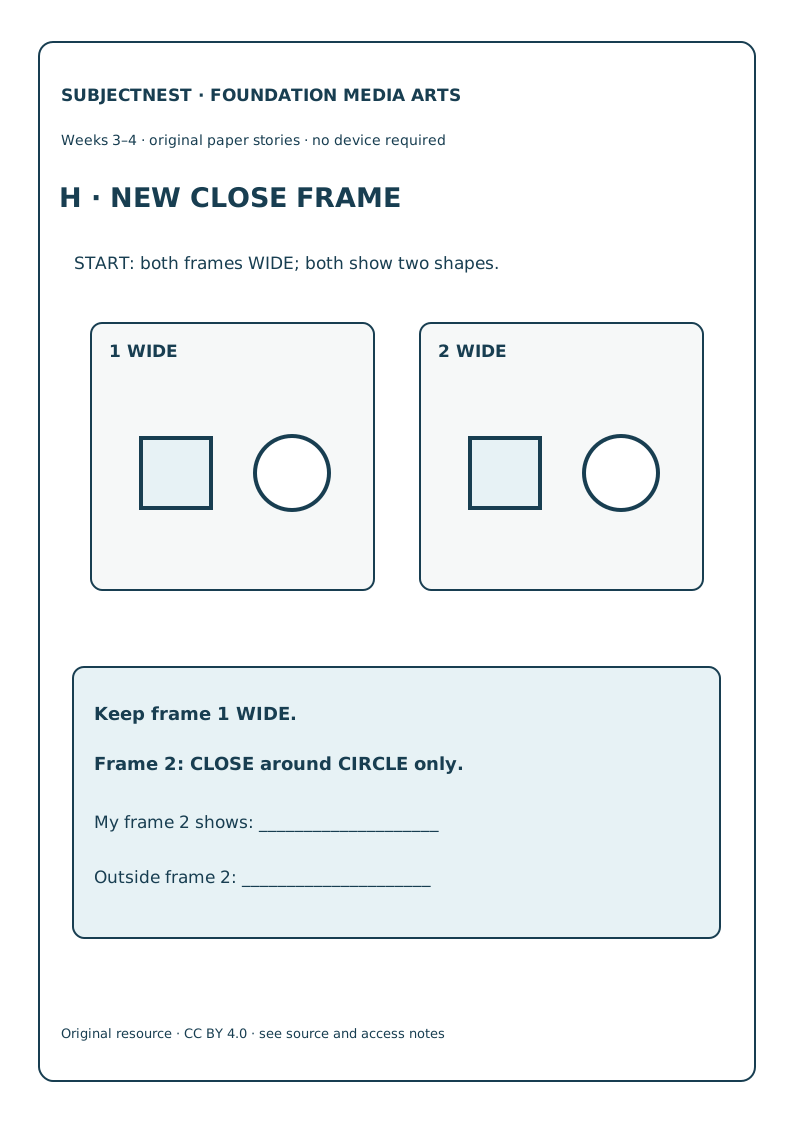
- Welcome · 3 min. Show two new numbered wide frames, each including SQUARE and CIRCLE. This is a public formative probe, not a camera task.
- Access · 4 min. Read brief neutrally: “Frame 1 stays WIDE. Frame 2 should show only CIRCLE.” Do not move the border for the child.
- Independent plan · 5 min. Child decides which frame boundary to change and what must remain visible in each.
- Child response · 7 min. Child draws, places, points or directs the two borders and explains what is outside frame 2. Save first response.
- Self-check · 4 min. Invite child to name both frame numbers and visible contents; do not supply the solution.
- Close · 2 min. Review with the key after response and plan future real production, maker encounters and willing audiences as separate work.